Category: Tech

Get All the Latest Tech News from Digihunt Here you can find all the latest stuff like upcoming gadgets, mobile phones, laptop, apps. In this Modern era, everyone is in touch with technology and always want to get an update in technology. So this website Digihunt suits best for news updates. We hereby provide you with every innovation in Technology World. Get all the Technology news content, Mobile Phones launch News, Gadgets Reviews, Tech Guide.

Now its time to drop your old phones and switch on to smartphones and gadgets. Thus get all the news updates on this website. Besides this aware yourself with each and every update in the technological world.  Compare the features of mobile phones and consequently prefer the best one always. Furthermore, this website enables its viewers to have the correct, up to date and easily understandable information. Hence it is our most important aim to update all the users with technology news.

  • Redmi K20 Pro and Redmi K20 Specification, Price, Color Variants

    Redmi K20 Pro and Redmi K20 Specification, Price, Color Variants

    Xiaomi’s sub-brand Redmi new smartphones Redmi K20 and K20 Pro brought quite leaks. Today, during the event in China, the company has launched its latest Redmi series smartphones. Redmi K20 has been introduced in the mid-range segment with the Snapdragon 730 chipset, Redmi K20 Pro has been introduced with Snapdragon 855 chipset.

    Redmi K20 Pro Specification

    First of all, let’s talk about flagship offers, the Redmi K20 Pro has a 7th generation in-display fingerprint sensor and both the front and back panel layer of the Corning Gorilla Glass 6. The phone has a 6.39 inch Super AMOLED (1080×2340) 19:5:9 aspect ratio display. The smartphone comes with Snapdragon 855 SoC 2.5ghz octa-core chipset. The phone comes in three RAM and storage variants. It includes 6GB + 64GB, 6GB + 128GB, and 8GB + 256GB. In terms of software, the phone has MIUI 10 and Android 9 Pie.

    Redmi K20 Pro Camera

    The Redmi K20 Pro Comes with the triple rear camera setup. 48MP primary snapper, 13MP secondary shooter and 8MP telephoto lens are provided on the rear camera. The phone has PDAF, 2x optical zoom, 2K 60fps video recording, dual-LED flash unit, and HDR. For Selfies, the smartphone has a 20MP pop-up camera. 4G LTE, dual SIM slots, dual-band connectivity feature Wi-Fi, Bluetooth 5.0, A-GPS, NFC, USB Type-C port, and 3.5mm audio jack. The phone has 27W Fast charging support with 4000mAh battery.

    Redmi K20 and K20 Pro Price in China

    According to Xiaomi, the initial price of new Redmi K20 Pro in Chinese market is 2,499 Chinese yuan (about 25,200 rupees). At this price 6 GB RAM + 64GB storage variants will be sold. 6 GB RAM + 128GB, 8GB RAM + 128GB and 8 GB RAM + 256 GB storage variants are priced at 2,599 Chinese yuan (around Rs 26,200), 2,799 Chinese yuan (around 28,200 rupees) and 2,999 Chinese yuan (approximately 30,200 Rupees).

    On the other hand, the initial price of the Redmi K20 is 1,999 Chinese Yuan (about 20,200 rupees), at this price 6GB + 64GB storage variants will be sold. The phone’s 6GB + 128GB variant will be priced at CNY 2,099 (about Rs 21,200). In China, the first sale of Redmi K20 Pro will be on June 1, while the first sale of Redmi K20 will be held on June 6.

    Redmi K20 Specifications

    Talking about Redmi K20, the phone comes with Octa-Core Qualcomm Snapdragon 730 processor. In addition to chipsets, most specifications are similar to the Redmi K20 Pro. the same in-display fingerprint sensor, triple rear camera setup, Android 9 pie, 4000mAh battery and 18W fast-charging support in this phone.

    K20 Pro and K20 Color Variants

    Redmi K20 Pro has three color variants- Glacier Blue, Flame Red, and Carbon Fiber Black. On the other hand, Redmi K20 has only two color variants- Glacier Blue and Flame Red.

  • Top 5 Android Apps to Design Images like a Pro

    Top 5 Android Apps to Design Images like a Pro

    Research agencies confirm that the Android mobile platform has overtaken the iOS and Windows mobile platforms in terms of the number of users. There are actually three reasons behind this. For one, while the other platforms are reluctant to offer free app downloads, virtually all the apps on Android are free. Two, Android is at par with the performance of all the other mobile platforms while still managing to keep the prices of their mobile devices well within the reach of the average consumer. Lastly, Google, the creators of this platform, opted to leave the platform open so that software developers can use it to come up with new utility apps such as image design apps.

    In this article, we will review the top image design apps developed to help you create and edit images like a pro. Whether you are looking for an app fully optimized for the smartphone touch-interface or looking to create vector graphics with the help of an S Pen, there will be an app available to suit your needs.  

    1. Canva

    Canva has been around for over 7 years now but only very recently did it decide to make its move to the revolutionary mobile platform. The fact that it offers seamless full-functionality on Android as it does on the desktop platform is quite impressive. It can be used to create and edit literally everything from brand logos to social media images & invitations with access to a wide array of free templates, photos, icons, and illustrations. Premium features are also available but quite convenient to users; they go for as little as $1.49.

    Requirements

    • Android 4.1 and up

    Pros

    • A very easy-to-use platform ideal for amateurs in image design.
    • Work-in-progress available on both computer and Android so that you can jump right back to design via any device.

    Cons

    • Has premium features requiring in-app purchases.

    2. Adobe Illustrator Draw

    Adobe Illustrator has been available on Android since 2016. It still remains one of the most popular image design apps. If you have the desktop version, you will find the Android version quite identical as the only difference is the constriction to the smaller mobile screen. Some of the unique features of Illustrator Draw include the customizable pen tips ideal for S Pen Device Users and image merge option best for comparisons or bringing two of your favorite images together. In addition, the app also features a Creative Cloud Subscription which gives you direct access to other utilities such as Photoshop Sketch, Adobe Stock, Capture, and Behance.

    Requirements

    • Android 5.0.

    Pros

    • The best app for Adobe Platform fans.
    • A wide array of utility tools.
    • Duplicate, merge, rename, and adjust multiple images and drawing layers.

    Cons

    • A complicated platform which might not be easy to use for first-timers.

    3. Infinite Design

    Infinite Design is among the top image design apps created with a professional graphic designer in mind. The tool gets its name from its impressive infinity features such as the infinite canvas, infinite path editing, Infinite do & undo (with infinite history slider), and infinite layers. In addition, the app’s layer option is equipped with reference grids, automatic shape detection, and 3D cityscapes with 5 separate guides.  

    Requirements

    • Functionality varies with device

    Pros

    • Unparalleled experience with infinite canvas, path editing, Boolean operations, and 4 types of symmetry.
    • Grids for snapping & reference.
    • Drag out the color wheel with two fingers. You can also search for millions of patterns and colors via ColourLovers.

    Cons

    • In-app purchases

    4. AutoCAD- DWG Viewer & Editor

    AutoCAD-DWG allows you to view and edit all your 2D DWG files & 3D files on a smartphone screen while offline. Immediately you go back online, the app saves all changes that can also be viewed from your AutoCAD LT on desktop. Other special features include Leica DISTO importation, blocks & layers, and CAD editor which allows you to mark-up and edit images to the last minute.

    Requirements

    Android 4.4 and above

    Pros

    • Continuous workflow via all platforms.
    • 7-day access to all premium tools.

    Cons

    • Monthly subscriptions

    5. Sketchbook

    Autodesk, the creator of this app, is renowned for its top-class 3D applications. They, however, also brag a collection of image creation and drawing tools such as Sketchbook. This app features nearly 200 customer brushes and a predictive Stylus/Finger stroke which transforms your sketchy hand drawings to a precise art.

    Requirements

    • Functionality varies with device

    Pros

    • Free app

    Cons

    *No cons

    Conclusion

    There’s our list of the best image design apps. The order in the list doesn’t necessarily mean that one is better than the other. Make sure you download each for first-hand evaluation.  


  • Fix High CPU Usage Problem in Windows 10

    Fix High CPU Usage Problem in Windows 10

    Fix High CPU Usage Problem in Windows 10

    CPU Usage Problem in Windows 10: On working with high memory, your CPU can sometimes get high disk usage and can cause your system to hang for a while. There could be many reasons behind it, but we are discussing one of the main reason for causing high disk usage in the CPU. What’s more, it will make your computer get slower and slower. There are many more factors that affect the speed of your computer.

    Tools like Service Host Superfetch, Windows modules installer, or modern setup host are also responsible for the cause of high CPU usage in your computer and can be problematic while you are working with your projects. However, all the three are also responsible for the windows update process, so we recommend you not to modify any of these.

    We have still listed some temporary solutions that will help you to fix the high CPU usage problem without altering any windows or system files that can cause harm to your pc.

    Follow the list below to fix high CPU usage in your pc now;

    1. Turn off windows 10 tips, tricks, and suggestions.

    Have you noticed that some pop-up tips after upgrading to windows 10? Be careful! You would be simply turning off the tools under your windows registry, thus your CPU will not work on 100%.

    1. Go to start menu and then choose “Settings”

    2. Go to “System”

    3. Choose “Notifications and actions”

    4. After that turn off “Get tips, tricks, and suggestions as you use Windows”

    5. Turn off windows 10 tips.png

    2.Adjust Windows 10 Performance

    You can also adjust the system performance option under your CPU. This is also an easy and alternative way to reduce CPU usage in your PC. Fortunately, Windows 10 allows you to do that. Follow the below-listed steps to optimize your PC on the go:

    1. Select “Properties” by right click on “Computer” icon,

    2. Go for “Advanced system settings

    3. Now select “System properties

    1. Choose “Settings” and “Adjust for best performance

    5. Now simply click “Apply

    6. Don’t forget to restart your computer after that.

    3.Defragment Drives

    Defragmentation of the disk is also one of the important steps that will help in speeding up your pc performance. You can simply run the Disk Defragmentation tool and make your PC run faster. Since the defragment process simply rearrange your system files in a mannerly order, thus it becomes easy for CPU to access the system files in a more speedy way.

    4.Disable Programs Running at Startup

    It is another way to increase the CPU speed of your PC. You can disable many different tools in your PC that are not usable and acquires heavy CPU memory. This is also a good way to eliminate the problem of high CPU usage.

    1. To do it, open task manager

    2. Go for “Startup

    3. To disable an application or service

    4. Just select “Disable” by right click on the application.

    It is an easy process. There is nothing to worry about if your CPU is working on high usage and causing your PC to slow down. Following and applying all the above methods will help you to speed up your pc performance gradually. We hope that you got your solution for high CPU usage. If still, you are facing problems, then comment below and we will revert you ASAP!

  • TikTok Ban: Google and Apple Removed TikTok App From their App Store

    TikTok Ban: Google and Apple Removed TikTok App From their App Store

    TikTok Banned in India

    Google and Apple have removed TikTok from their platform after the Supreme Court refused to ban the order of banning Madras High Court’s. Following the order of Madras High Court, the government asked Google and Apple to remove TikTok from their respective platforms. It is to be mentioned that in the order on April 3, the Madras High Court had asked the government to ban it on the basis of pornographic material through TikTok.

    The Madras High Court had asked the Center to ban a ban on Tikk on April 3. At the same time, the court had said that the TikTok app promotes pornography and is making the children sexually violent. Let me tell you that there is an allegation of serving pornographic material on TikTok.

    Order of Ministry of Electronics and Information Technology helps to prevent downloads. However, those who have already downloaded the TikTok app will be able to use it on their smartphones.

    Read Also: TOP 22 TIK TOK POPULAR CREATORS IN INDIA 2019

    Google and Apple Removed TikTok From App Store

    An official of the Information and Broadcasting Ministry said, “The High Court has asked the government to stop the downloads of the TikTok application. The ministry is making sure to tell Google and Apple to delete the app from their App Store. On behalf of the government, Apple and Google have been asked to delete the app by writing a letter. ‘ Google immediately removed the app from Playstore and apple also removed from the App Store. Google said in a statement that he obeys local laws and does not want to comment on the app.

    Chinese company Bytedance Technolohasave appealed to the court to remove the previous ban, which was rejected. India is a big market for the TikTok app, in which case the business of the company will be affected. According to the Market Analysis firm Sensor Tower, in the first quarter, the App Store and TikTok in the Google Play Store are the third most downloaded app in the world.

  • Samsung Galaxy A30 Specification, Review

    Samsung Galaxy A30 Specification, Review

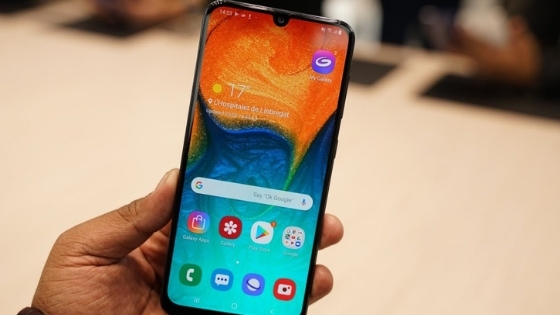
    Samsung recently updated its line of Galaxy A smartphones with smartphones Galaxy A10, A30, and Galaxy A50. With these new smartphones and the Galaxy M series, Samsung points to the highly competitive market budget and mid-range smartphones. The Samsung Galaxy A30 is one of the first smartphones that comes with Infinity-U screen, which is essentially a tear notch style. With the Galaxy A30, Samsung wants to challenge the smartphones like the Nokia 7.1 Plus, the Xiaomi Note 7 Pro, the Huawei Nova 3 and others in the Indian market.

    Samsung Galaxy A30 Specifications:

    Screen: Full HD 6.4 inch + (2340 x 1080 pixels) |

    Processor: Exynos processor 7904

    RAM: 3GB RAM+

    Storage: 3GB RAM + 32GB of internal storage | 4GB RAM + 64GB of internal storage

    Camera: 16MP f / 1.7 + 5MP f / 2.2

    Operating System: Android 9.0

    Battery: 4,000mAh battery

    Samsung Galaxy A30 Review: What is good?

    The first thing I noticed about the device was its Super AMOLED screen of 6.4 inches. The screen looks good and produce vivid colors and delivers crisp text. The screen is easily visible under direct sunlight and low light conditions. Brightness levels can be very low, making the display is readable. The screen works well when viewed from extreme angles also.

    The battery is another area where the Samsung Galaxy A30 can excel. It has a 4000 mAh battery with support for fast charging. With the included charger, I could charge the device completely in about 90 minutes. During real-life testing, I could make the device lasts about a day and a half with a single charge and moderate use. When this device is under heavy use, I could get a full day of usage with a full load and I had to plug it in at the end of the day before bedtime. During the review period, I usually browse the Internet, made some calls, I checked my social networking accounts and played some games like PUBG and Assasin’s Creed.

    The Samsung Galaxy A30 runs the Android 9.0 operating system Google foot, with UI skin One company at the top, which has improved a lot since the days of TouchWiz. The operating system was extremely soft and you come with many nifty features like Samsung Pay Mini, you can not see in other Android devices. Overall, I loved what Samsung has done with the operating system and I’m anxious to see how the company improves the user experience on this device with future updates. In addition, the device has received about three updates of the system from the day I got it, which is pretty impressive considering Samsung’s past history updates.

    A30 Samsung with the Galaxy has provided its users three ways to unlock your smartphone, including a normal lock, fingerprint recognition and face recognition. The fingerprint sensor is precise and very fast captures biometric data.

    The device features a dual camera configuration in the back consisting of a primary camera 16MP paired with a secondary camera 5MP wide angle. With this combination, the device could take good pictures in good lighting conditions both indoors and outdoors.

    Samsung Galaxy A30 Review: What’s not good?

    One of the main complaints I had with the device was its facial recognition feature. The function is rather slow to detect facial data, which is a bit disappointing. Another thing is that the phone is unlocked even when your eyes are closed, which means that people can review your smartphone when you’re asleep. That’s why I recommend you do not set the face recognition function in this case. The disadvantage, of course, is that the phone is a magnet with fingerprints and wear. Over time, the phone will probably be more prone to scratches and you need to get a quality back cover for Samsung A30 to avoid that.

    Performance of Samsung Galaxy A30 is a bit disappointing considering its price. The light and medium device when jobs are handled, not exceeding the processor, it worked quite well. However, when it comes to much heavier tasks, such as using multiple browsers with multiple tabs open, all at once, the phone is delayed. While graphics-intensive games like PUBG Mobile, Assassin’s Creed and Asphalt 9 running, the phone does not work as well at high settings and it must be reduced to medium and low configurations for smooth and fluid gameplay. This is not expected of a device that costs so much, considering that smartphones at much lower prices run these games on high settings with minimal delay.

    While using the back camera, I noticed that the device was over-processing some images and making colors highlighted. Apparent clearance of images taken was clear. While low-light shots are taken, the camera is not as good as when there is plenty of light. Live focus front camera was something that excited me. But the feature is a bit disappointing in the Galaxy A30. Edge detection is not as good as I had expected. The low light performance of the camera as most smartphones in this price range was not up to my expectations.

    Samsung Galaxy A30 Review: Verdict

    The Samsung Galaxy A30 is a pretty awesome smartphone and the price offered is quite convincing due to the fact that along with a smartphone, you also get the confidence of the brand and the guarantee of good after-sales service. However, I think the current selling price of the device is a bit too high, especially when you consider what the competition offers at similar prices.

    Samsung seeks to challenge the smartphones like the Nokia 7.1 Plus, Redmi Xiaomi Note 7 Pro, Huawei Nova 3 and others in the Indian market.

  • Best Methods To Download The Voot App For Pc

    Best Methods To Download The Voot App For Pc

    Willing to Download the Voot App for PC? Here are the easy instructions that will help you out. The Voot is a video streaming application at which you can watch all your favorite shows and video anytime, anywhere. All you need is The Voot app and a stable Internet connection.

    Now, if you missed watching your favorite program then there is no need to be sad. Just go to the Voot application and watch the show online. Moreover, you can also download your favorite episode for watching it offline later. There are many users who think that The Voot app is only available for Android or IOS devices. But the fact is that you can also download the Voot App for Pc.  Check out the details and start the downloading process for The Voot for Pc now.

    Read Also: How To Watch Videos Online

    Requirements to Download The Voot App For Pc:

    • If you are willing to download the Voot App for Pc, then you must have at least 1GB of RAM in your system. If your system is having more than 01 GB RAM then it will be better
    • Minimum processor speed is 1GHZ.
    • In order to download the Voot for PC, it is important to have a stable internet connection. High-Speed internet will help you in downloading the Voot App for PC more speedily.

    How to download the Voot for PC

    Following are the steps you can use to download the Voot Application in your PC/Laptop. Follow these handy instructions and Download the Voot App for Pc as soon as you can.

    • To download the Voot App for Pc you need to visit the official website voot.com
    • After reaching the homepage you need to search the download tab available
    • Hit on the download the app and you will be navigated towards a new page having the application store option
    • Press the “Get it on Play Store” option available
    • Again hit on download application option
    • Within seconds The downloading procedure for The Voot App for Pc will get started
    • The wait was the downloading procedure gets completed
    • Now go to the downloads section and hit on the Voot.exe file extension
    • Hit all the run tab available in the popup box along with the exit option
    • Thereafter accept all the terms and conditions by hitting on the click button
    • Within second the installation will get completed
    • Now you are all set to use The Voot App for Pc

    DOWNLOAD VOOT APP FOR PC

    With the help of above-given instructions, you can easily download and install the Voot Application for PC.

    The second method to download the Voot application in your PC

    There is another method that also you can use to get the Voot Application downloaded in your PC. In the below section we have stated the steps regarding it.

    • First of all, you need to download the Android emulator in your PC
    • You can use BlueStacks for downloaded
    • Install the BlueStacks emulator and then complete all the procedure that is appearing on the screen
    • Thereafter you need to launch the application
    • In order to launch the application, you need to sign up by using the email details
    • Thereafter hit on the Play Store option available at the dashboard
    • Enter The Voot application in the search box
    • Download the application and then install it by completing the process
    • Once the Voot App for Pc is installed successfully you are all set to use it.

    Hence these are the two methods through which you can download The Voot App for PC or Windows. This application is such a great platform at which you can watch your favorite shows and videos anytime, anywhere.

    Features of The Voot App for PC:

    Following are the features of The Voot app for PC:

    • You can watch any episode of your favorite show anytime.
    • Picking your latest streaming shows is straightforward.
    • The most trending shows and channels will be on your tips
    • Along with the watching the latest episodes, you can also download them online
    • In order to download the shown there is no need to follow a huge procedure, you just need to click the downloading tab
    • While watching the video if you want to take a break then you can easily resume the video and then continue to watching the video whenever you want.

    How To Stream Using The Voot App On PC?

    The best important question that arises is how to watch videos online on the Voot application. The best part of boot application is that it provides you the options that either you can watch the videos in Hindi or videos for children or your favorite shows. Now if you want to watch your favorite show then you can also enter your requirement in the search bar and browse the show.

    Download The Voot videos and episodes

    • Open The Voot website and Search.
    • Hit on The Voot icon to open The Voot website.
    • Tap on the download button.
    • Download videos from The Voot in Full HD.
    • Set download location.
    • Watch your download here.

    Hence these are the details about The Voot App for PC. Furthermore, we have also stated the instruction that will help you to Download the Voot App for Pc. Hope the above-given information have satisfied you and if you have any sort of query then please mention it in the below given comment box. We will be happy to help you.

  • Xiaomi Redmi Pro 2 Price And Specifications Leaked

    Xiaomi Redmi Pro 2 Price And Specifications Leaked

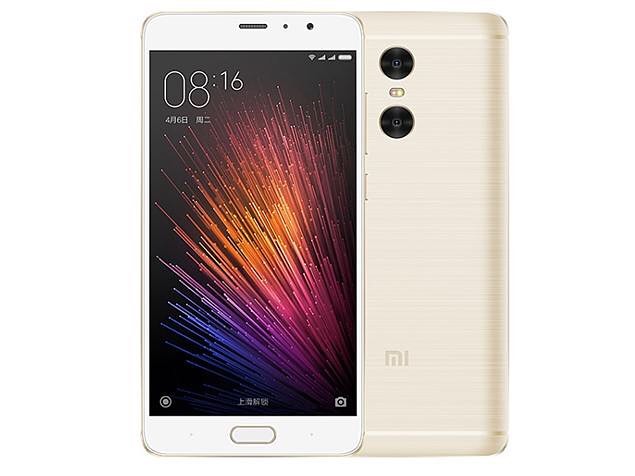
    A few days ago it was heard that Xiaomi Company is going to launch its latest Smartphone on 10th January 2019. According to the latest leak and listings, it is estimated that the upcoming Smartphone to launch will be Redmi Pro 2. Official renders of Xiaomi Redmi Pro 2 were spotted online.  Furthermore, this latest Smartphone is also listed on TENAA.

    After getting separated from Xiamo, the Redmi 2 Pro will be the first device launched by Redmi separately.

    Its also confirmed by the Chinese Certification Agency TENAA that this latest Xiaomi Redmi Pro 2 Smartphone is coming with rear dual camera setup along with LED flash and a fingerprint sensor.  On the bottom of rear panel, there is an image show as “Redmi”. That regular “MI” is not branded at the Smartphone. This shows the separation between both Xiaomi and Redmi.

    It is also leaked that this latest Smartphone will have a waterdrop notch at the front. Furthermore, at the right edge, the power button and volume rocker buttons will also be available. This latest smartphone runs on Xiaomi MIUI 10 based on Android Pie 9.0.

    According to the TENAA listings, it is also leaked that the device will have a 6.3-inch display. Furthermore, the latest Smartphone will be packed with a 3900 mAh battery. Other hardware details are not revealed yet.

    Talking about further specifications, this latest smartphone is powered by Qualcomm Snapdragon 675. Coming to the camera specifications, this latest phone also featured with a Sony IMX576 24MP selfie camera and a dual camera setup with 48MP + 5MP sensors on the back.

    As we have stated above that after getting separated, this is the first smartphone Redmi is launching without parent brand Xiaomi.  Talking about the separation Xiaomi CEO Lei Jun confirmed that “this separation move will be beneficial for the company and also helped in focusing more on Mi BRAND” after getting separated there will be three brands of Xiaomi that are Redmi for budget phones, Poco for ‘affordable premium’ phones and Mi for premium phones.

  • Best Fitness Trackers 2019-Top 10 Best Activity Trackers

    Best Fitness Trackers 2019-Top 10 Best Activity Trackers

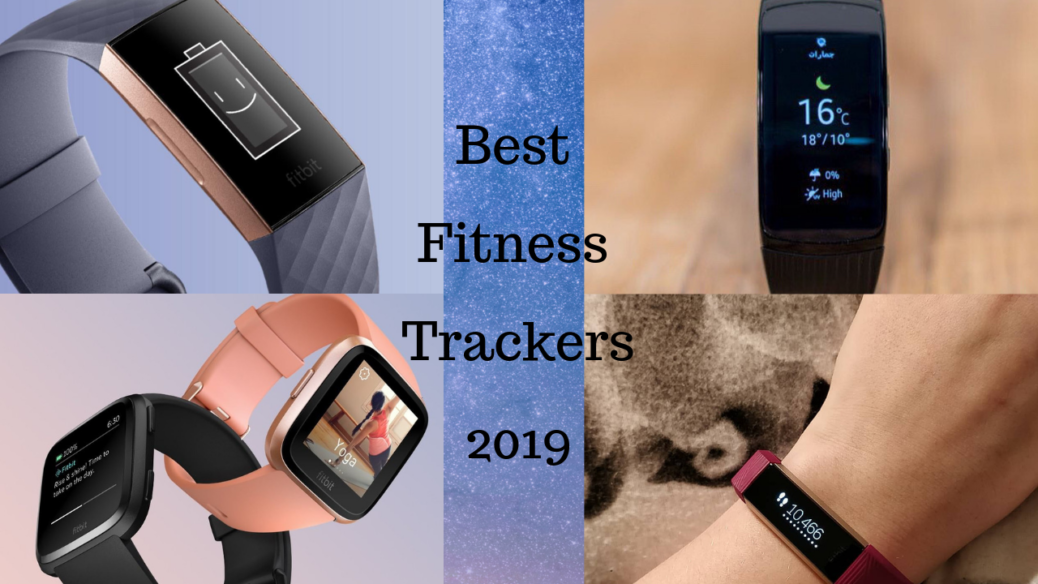
    Best Fitness Trackers 2019: Everyone loves to be fit. There are several Fitness Gears available in the market that people can choose to make their Fitness routine better. Along with the Fitness gears there some Fitness Trackers that also help you in taking a check over your fitness.

    Here in this article, we are going to describe some of the Best Fitness Trackers that you can purchase in 2019 and keep a track on your Fitness and routine with more ease.

    Here are the best fitness trackers of 2019:

    Fitbit Versa — Best overall

    Fitbit Versa just looks like an Apple Band.  There are plenty of features this watch shares. Check out below:


    Heart rate monitor Altimeter
    4-day battery life Sleep tracking
    Music player Water resistance to 50 meters
    Color screen Replaceable band
    Compatibility with Android, iOS, and Windows  


    Fitbit Charge 3 — the Best budget smartwatch

    This band with a watch-style buckle gives an awesome look with amazing performance. Features of Fitbit Charge 3 are:


    Heart rate monitor Altimeter
    Up to 7-day battery life Sleep tracking
    Water resistance to 50 meters Grayscale screen
    Replaceable band Compatibility with Android, iOS, and Windows


    Samsung Gear Fit2 Pro — Best User Interface

    Setting up the Gear Fit2 Pro is basic. On the off chance that you lean toward, you don’t require your Smartphone to begin following or check results. In the event that you do choose to combine it with your Smartphone, be set up to download two separate applications: Samsung Health and Samsung Gear Fit. Moreover, The Health application gives you a chance to follow your activity, while the Gear Fit application sets up your tracker and screens battery life, stockpiling limit, and RAM. Features of this Best Fitness Trackers 2019 are:

    Heart rate monitor Altimeter
    Up to 3-day battery life GPS
    Music player Water resistance that too up to 50 meters
    Color screen Compatibility with Android and iOS


    Garmin Vivosport — Best for outdoor adventures

    The Vivosport isn’t as extravagant as the Samsung Gear Fit2 Pro, yet you’ll get a similar number of highlights—if not more—at a similar cost. What’s more, where the Gear Fit2 Pro is vast and smooth, the Vivosport is little and rough. This is the fitness tracker we’d go up against a climb through Utah’s Bryce Canyon. The amazing features of Best Activity Trackers 2019 are:


    Heart rate monitor Altimeter
    Up to 7-day battery life GPS
    Sleep tracking Stress monitoring
    Rep counting Wearable while swimming
    Color screen Compatibility with Android, iOS, and Windows


    Fitbit Alta HR —heart rate monitor in Budget

    With nitty gritty on-screen measurements and a pulsing screen, the Alta HR is one stage up from the Fitbit Flex. Despite everything it doesn’t have worked in GPS, however—you’ll have to move up to the Fitbit Ionic for that. Best Fitness Trackers Features for 2019 are:


    Heart rate monitor 5-day battery life
    Sleep tracking Wearable in the shower
    Grayscale screen Replaceable band
    Compatibility with Android, iOS, and Window Fitbit Ionic — Best fitness tracker/smartwatch combo


    Samsung Galaxy Watch — Best for style

    Some of the time we need a fitness tracker that doesn’t resemble a fitness tracker. The Samsung Galaxy Watch is one you can sneak into corporate gatherings without making anybody the more astute. Moreover, The primary screen is a customary watch face, and you’ll utilize the bezel to switch between applications or check notices. Amazing features of the Best Fitness Trackers or we can say Activity Trackers are:


    Heart rate monitor Altimeter
    4-day battery life GPS monitor
    Sleep tracker Music player
    Water resistance to 50 meters Color screen
    Replaceable band Compatibility


    Garmin Forerunner 235 — Best GPS running watch

    The Forerunner 235 is perfect for its namesake: runners. It includes just four kinds of exercises: running, running inside, biking, and the catch-all of “other.” Each movement type gives you a chance to screen time, separation, and pulse zones—or you can swap to the pulsing screen and watch to what extent you’ve been in the high-impact zone with an execution diagram.


    Heart rate monitor Altimeter
    3- to 4-day battery life GPS monitor
    Counts each Step and calorie Water resistance that too up to 50 meters
    Replaceable band Compatibility with Android and iOS


    Fitbit Flex 2 — Best for casual athletes

    You can’t show signs of improvement esteem than the Flex 2—any less expensive and you’ll miss out on quality. We began with a Flex a couple of years back, and we need to state the shortsighted methodology is magnificent for easygoing exercises like strolling. Heart rate monitor.

    Up to 9-day battery life GPS monitor
    Music player Water resistance that too up to 50 meters
    Color screen Compatibility with Android, iOS, and Windows


    Garmin Vivosmart 4

    Next Best Fitness Tracker 2019 is the Garmin Vivosmart 4. This watch has a cool design and also has some amazing features of this Best Fitness Tracker including:


    Heart rate monitor Altimeter
    7-day battery life Sleep tracking
    Stress monitoring Wearable while swimming
    Grayscale screen Compatibility with Android, iOS, and Windows


    Fitbit Ionic

    Looking for an iconic Fitness Tracker in colors other than black and Grey?? Then you must consider Fitbit Ionic once. This Fitness Tracker is not only providing best result but also its looks are amazing. Features of this Best Fitness Trackers 2019 are:


    Heart rate monitor Altimeter
    4-day battery life GPS monitor
    Sleep tracker Music player
    Water resistance that too up to 50 meters Color screen
    Replaceable band Compatibility


    Hence these are the Best Fitness Trackers 2019 you can try. If you want to share your views in this regard then you may mention your comments in below comment box…

  • Xiaomi Poco F1 Armoured Edition launched in 6GB-128GB Variant

    Xiaomi Poco F1 Armoured Edition launched in 6GB-128GB Variant

    Xiaomi Poco F1 Armoured Edition

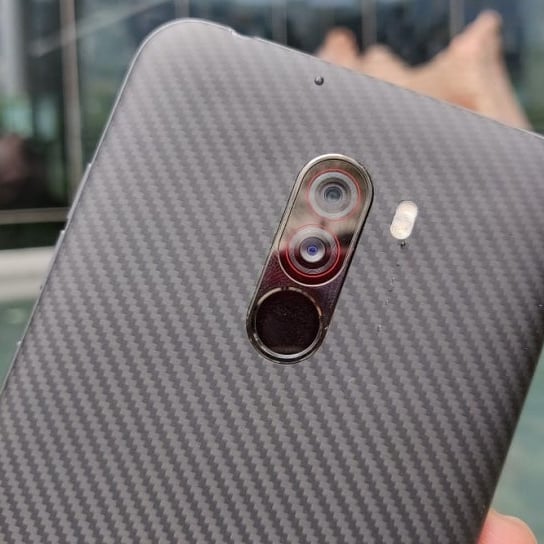
    Finally, Xiaomi Poco F1 Armoured Edition with 6GB RAM, 128GB Storage is now available in India. This latest launch of Xiaomi will go on Sale on 26th December 2018. The  Poko F1 addition is Unlike the normal smartphone that supports a simple, matte-finish plastic back. Earlier this day the sub-brand of Xiaomi announced about the Price Drop of this Smartphone.

    Xiaomi Poco F1 Armoured Edition was launched at a starting price of Rs. 20,999. After the price drop, the new price of this Smartphone is Rs.19, 999/-.

    Poco F1 Armoured Edition price in India

    The Xiaomi Poco F1 Armoured Edition with 6GB RAM and 128GB storage configuration will be available at a price of Rs.23,999/-. Furthermore, the Poco F1 Armoured Edition with 8GB RAM/ 256GB storage will be available at a price of Rs.29,999/-.

    The official Twitter record of Poco India on Tuesday reported that the new Poco F1 Armored Edition will go at a sale in the nation through Mi.com and Flipkart beginning 00:01 am on December 26.

    Quite, Poco India General Manager C Manmohan on Monday prodded the entry of another Poco Smartphone, with a subsequent tweet showing it would be on Christmas Day. That day is here, and the new Xiaomi Poco F1 Armored Edition variation is the declaration.

    Poco F1 Armored Edition determinations

    The double SIM (Nano) Xiaomi Poco F1 was propelled with MIUI 9.6 dependent on Android 8.1 Oreo. In any case, the Smartphone as of late began getting Android 9.0 Pie over MIUI 10. It additionally includes highlights a 6.18-inch full-HD+ (1080×2246 pixels) show alongside a 2.5D bent Gorilla Glass 3 insurance. In the engine, there is a Qualcomm Snapdragon 845 SoC, matched with 6GB RAM explicitly for the most recent Armored Edition.

    The Poco F1 has a double back camera setup alongside a 12-megapixel Sony IMX363 essential sensor alongside a 1.4-micron pixel measure and double pixel self-adjust and a 5-megapixel auxiliary sensor. At the front, there is a 20-megapixel camera alongside HDR and AI Beautify highlights. The Smartphone likewise has an IR light that works with a pre-introduced Face Unlock include.

    For putting away substance, the most recent Xiaomi Poco F1 Armored Edition has 128GB of installed stockpiling that is expandable through microSD card (up to 256GB) in a crossbreed SIM space arrangement. On the network front, the Smartphone has 4G+, VoLTE, Wi-Fi 802.11ac, Bluetooth v5.0, USB Type-C, 3.5mm earphone jack. Talking about the sensors than an accelerometer, encompassing light sensor, advanced compass, gyrator, and vicinity sensor are available at this Smartphone. Moreover, there is a 4,000mAh battery that underpins 18W charging and Quick Charge 3.

  • Huawei P30 Pro Renders Reveal Quad-Camera Setup

    Huawei P30 Pro Renders Reveal Quad-Camera Setup

    Huawei P30 Pro Renders Reveal Quad-Camera Setup

    The world’s first triple-back camera setup Smartphone was Huawei P20 Pro. In order to develop the cameras, Huawei build an association with German camera brand Leica. Furthermore, according to the latest information, Huawei has successfully set a benchmark for other Smartphone cameras.

    As the video leaked, in order to move this tradition ahead, Huawei is all set to launch a quad-camera setup on the successor P30 Pro.

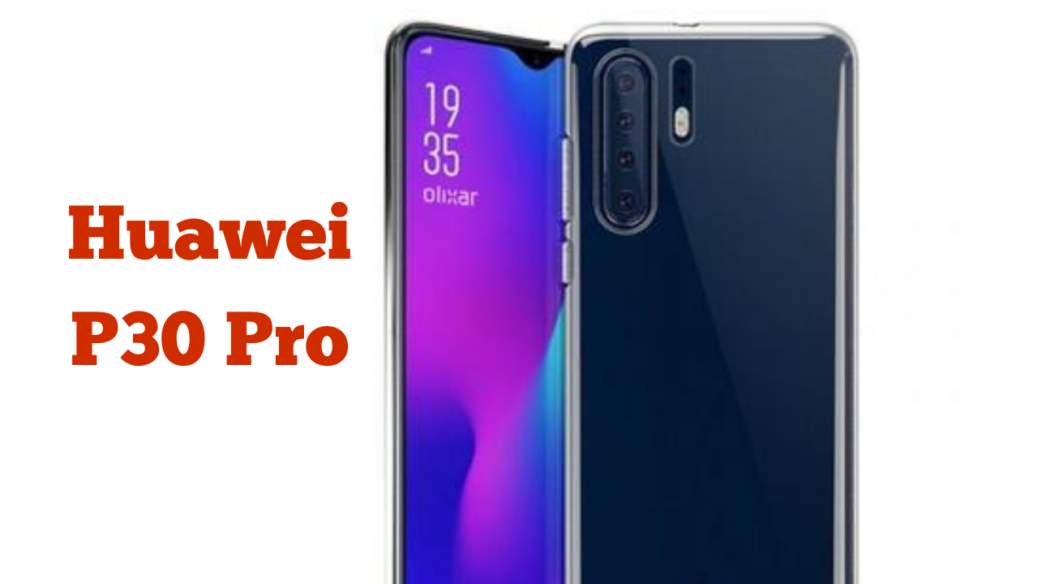
    Earlier a video regarding P30 Pro get leak stating that there will be a triple-camera setup in P30 and the P30 Pro will have a quad camera from which the fourth one will be ToF  3D camera. Well, Huawei P30 Pro is not the first ever smartphone with the quad-camera setup. But still, the implementation of cameras will be the interesting matter to know.

    Huawei P30 pro Camera Leaks

    In Huawei P30 Pro, out of the four cameras, from the 03 only you can take pictures. According to the rumors, the fourth one will be the telephoto lens with 10X optical zoom. Moreover, the Huawei P30 will also have a telephoto lens with 5X optical zoom. In the smartphone industry, it is the first try ever. The fourth sensor will be ToF (Time of Flight) sensor that might be used for 3D face scanning.

    According to the leaked video available at Weibo (Chinese social-networking), the Huawei P30 Pro will have three sensors grouped together vertically along with the LED flash and a laser focus module.  In the same place, there will be a fourth sensor available. After the launch of Huawei P10, the company does not stop working with Leica. The Leica branding will also be available on the body.

    According to the revelations, to increase the ratio of screen-to-body, the Huawei P30 Pro will also contain a water drop notch. Talking about the colors then P30 Pro will also have a gradient finish at back.

    The expected Launch date of Huawei P30 and P30 pro

    Both the Huawei P30 and the Huawei P30 Pro are expected to launch in March 2019. The phones will be powered by the 7nm Kirin 980 SoC and will run on EMUI 9.0 based on the latest version of Android.