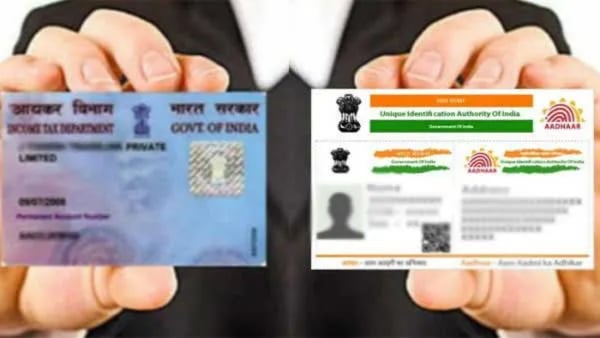
The Central Board of Direct Taxes (CBDT) has set an important deadline for linking Permanent Account Numbers (PAN) with Aadhaar cards, which is December 31, 2025. Starting from January 1, 2026, any PAN that remains unlinked will be deemed inoperative, affecting taxpayers’ ability to perform significant financial transactions. The CBDT has highlighted the financial repercussions of non-compliance, which may involve the suspension of income tax refunds and higher tax deduction rates.
Deadline for PAN-Aadhaar Linking
The final date for linking PAN with Aadhaar is December 31, 2025. After this date, any unlinked PANs will be made inoperative by the Income Tax Department. This decision is part of Notification No. 26/2025, issued on April 3, 2025. Individuals who acquired their PAN using an Aadhaar Enrolment ID before October 1, 2024, must complete the linkage by the deadline. Failing to do so will result in the PAN being deemed inactive, which will obstruct tax-related activities and major financial transactions.
The CBDT has cautioned that non-compliance will bring significant financial consequences. Beginning January 1, 2026, taxpayers may experience the suspension of their income tax refunds and elevated tax deduction rates at source. This initiative aims to enhance compliance and streamline tax procedures.
Steps to Link PAN with Aadhaar
Linking your PAN with your Aadhaar card is a straightforward process. Ensure that you have a valid PAN, an Aadhaar number, and a registered mobile phone to receive one-time passwords (OTPs). If your PAN was issued before July 1, 2017, and hasn’t been linked before, a fee of Rs 1,000 will be applicable.
To start the process, visit the Income Tax Department’s e-Filing portal. Select the “Link Aadhaar” option under Quick Links. Enter your PAN and Aadhaar details, and then make the mandatory fee payment through the e-Pay Tax option. After verifying your mobile number with an OTP, select the appropriate assessment year and label the payment category as Other Receipts (500). The Rs 1,000 fee will be auto-filled, and you can complete the payment via net banking, debit card, or UPI. It may take four to five working days for the payment to reflect in the system.
Once the payment is confirmed, you can request to link your PAN and Aadhaar. Enter your details in the Link Aadhaar section, validate the information, and confirm your name as per Aadhaar. After entering the six-digit OTP sent to your registered mobile number, the process will be complete.
Checking the Status of Your Linkage
After submitting your linkage request, you can check the status without logging in. On the e-Filing homepage, select “Link Aadhaar Status” under Quick Links. Enter your PAN and Aadhaar details to view the current status. A successful linkage will be indicated by a green checkmark, while any pending requests will show a message stating the request has been forwarded to UIDAI for validation.
This process is essential for maintaining compliance with tax regulations, ensuring that taxpayers can continue engaging in financial activities without interruptions. The CBDT’s clear guidelines aim to facilitate a smooth linking process for all individuals.
Digihunt is not a financial advisor and this is not investment advice.